> ## Documentation Index
> Fetch the complete documentation index at: https://r2r-patch-decruft-openapi-json.mintlify.site/llms.txt
> Use this file to discover all available pages before exploring further.
# Orchestration
> Learn how orchestration is handled inside R2R
## Introduction to orchestration
R2R uses [Hatchet](https://docs.hatchet.run/home) for orchestrating complex workflows, particularly for ingestion and knowledge graph construction processes.
Hatchet is a distributed, fault-tolerant task queue that solves scaling problems like concurrency, fairness, and rate limiting. It allows R2R to distribute functions between workers with minimal configuration.
### Key Concepts
1. **Workflows**: Sets of functions executed in response to external triggers.
2. **Workers**: Long-running processes that execute workflow functions.
3. **Managed Queue**: Low-latency queue for handling real-time tasks.
## Orchestration in R2R
### Benefits of orchestration
1. **Scalability**: Efficiently handles large-scale tasks.
2. **Fault Tolerance**: Built-in retry mechanisms and error handling.
3. **Flexibility**: Easy to add or modify workflows as R2R's capabilities expand.
### Workflows in R2R
1. **IngestFilesWorkflow**: Handles file ingestion, parsing, chunking, and embedding.
2. **UpdateFilesWorkflow**: Manages the process of updating existing files.
3. **KgExtractAndStoreWorkflow**: Extracts and stores knowledge graph information.
4. **CreateGraphWorkflow**: Orchestrates the creation of knowledge graphs.
5. **EnrichGraphWorkflow**: Handles graph enrichment processes like node creation and clustering.
## Orchestration GUI
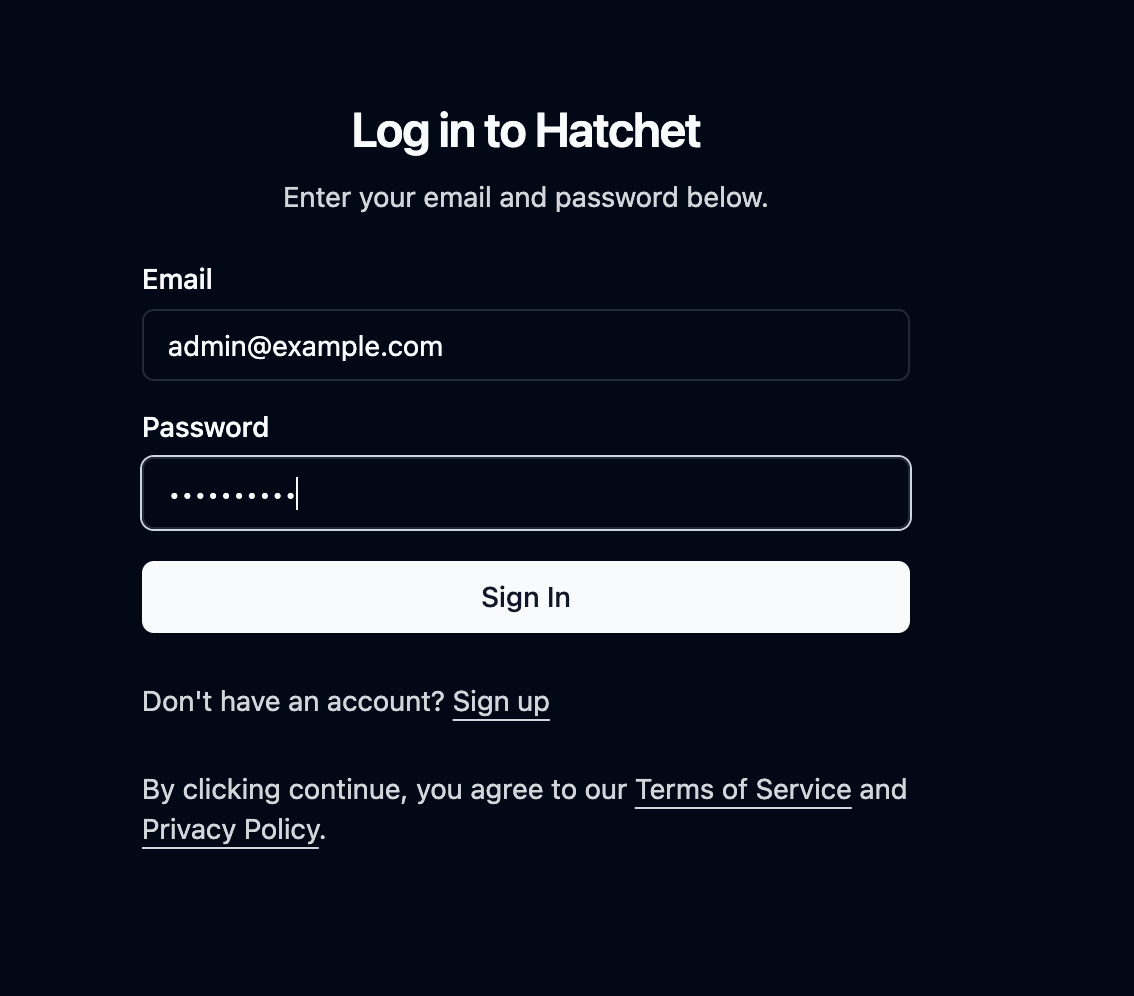
By default, the R2R Docker ships with with Hatchet's front-end application on port 7274. This can be accessed by navigating to `http://localhost:7274`.
You may login with the following credentials:
**Email:** [admin@example.com](mailto:admin@example.com)
**Password:** Admin123!!
### Login
 ### Running Tasks
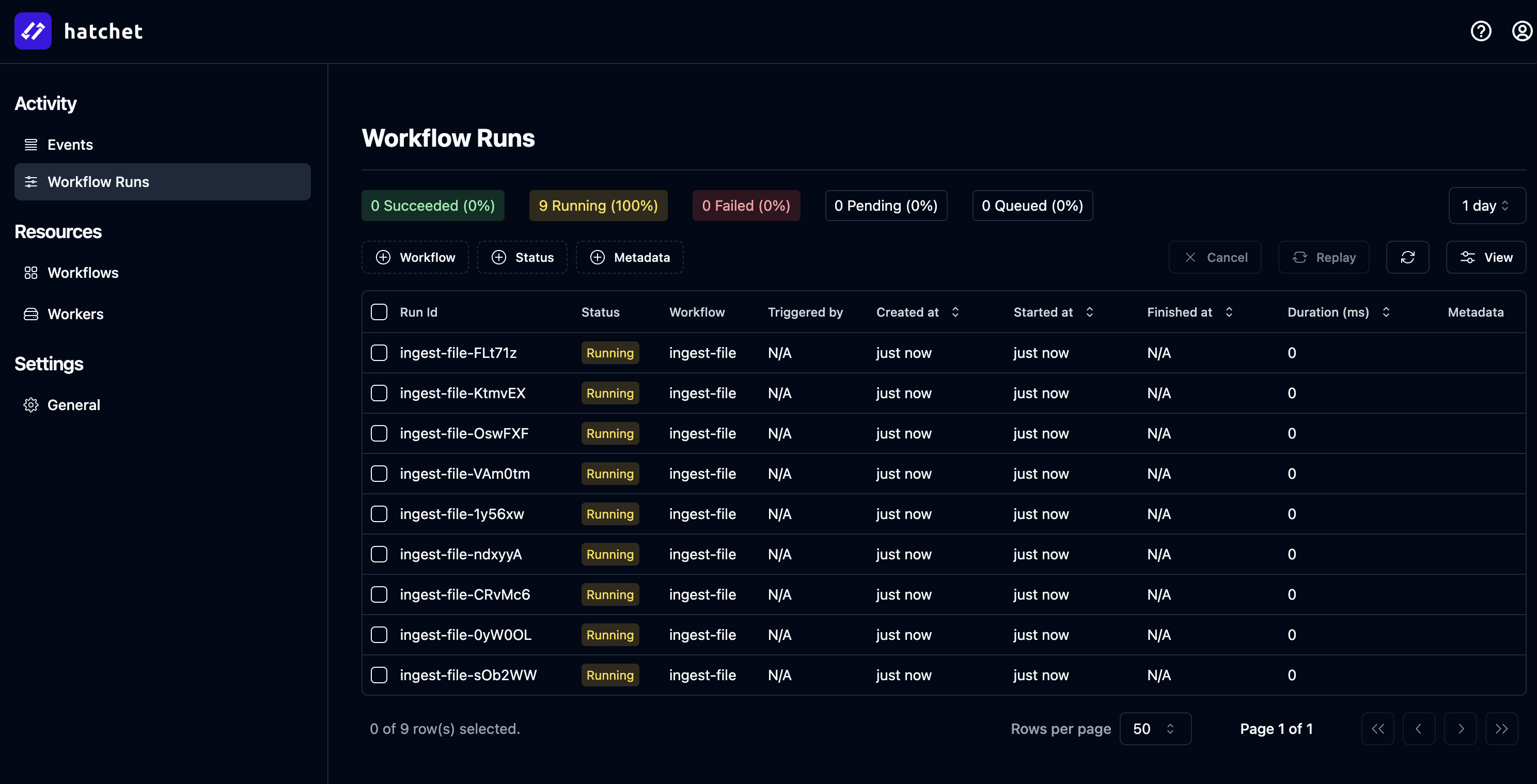
The panel below shows the state of the Hatchet workflow panel at `http://localhost:7274/workflow-runs` immediately after calling `r2r ingest-sample-files`:
### Running Tasks
The panel below shows the state of the Hatchet workflow panel at `http://localhost:7274/workflow-runs` immediately after calling `r2r ingest-sample-files`:
 ### Inspecting a workflow
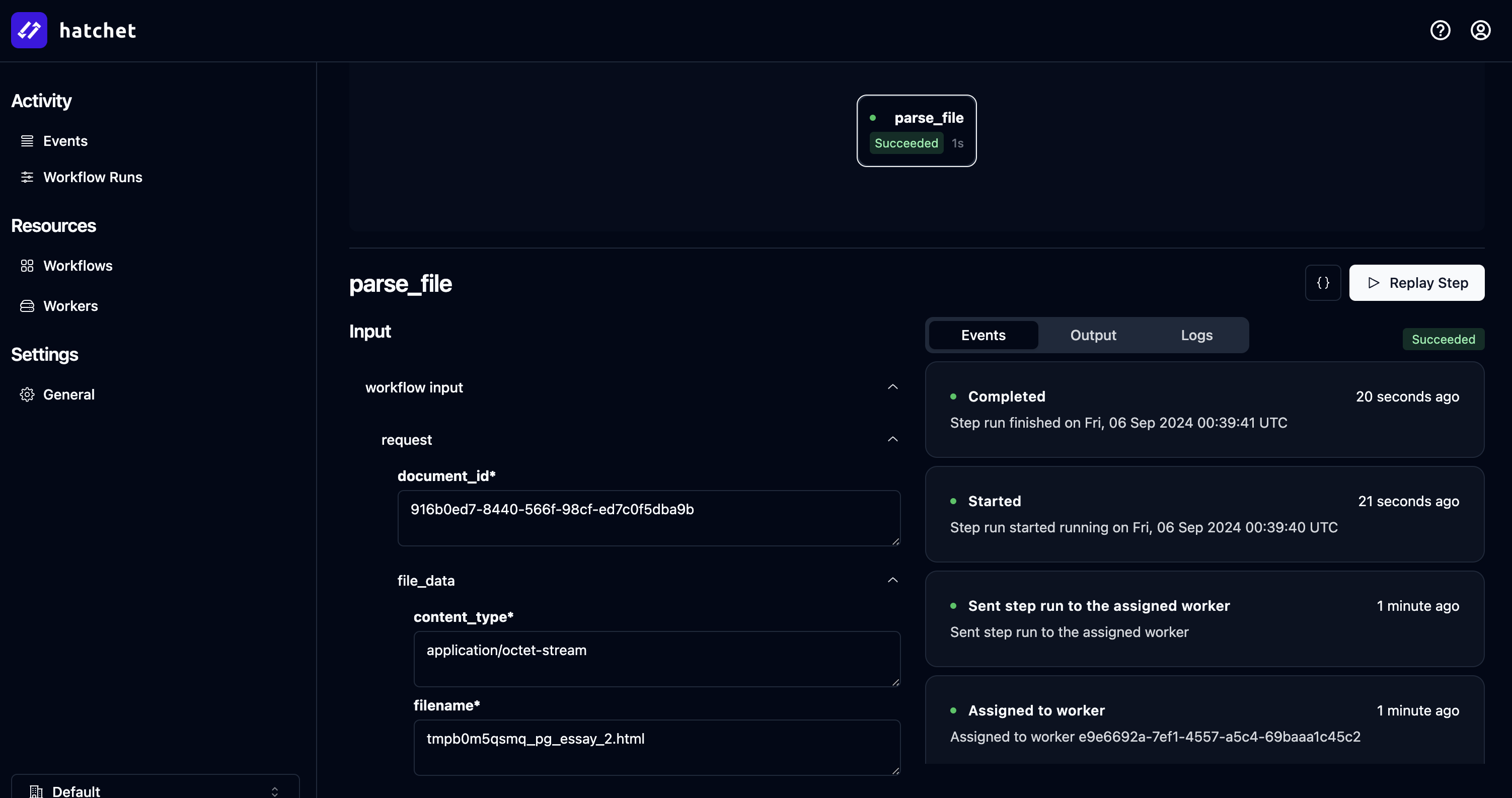
You can inspect a workflow within Hatchet and can even attempt to retry the job from directly in the GUI in the case of failure:
### Inspecting a workflow
You can inspect a workflow within Hatchet and can even attempt to retry the job from directly in the GUI in the case of failure:
 ### Long running tasks
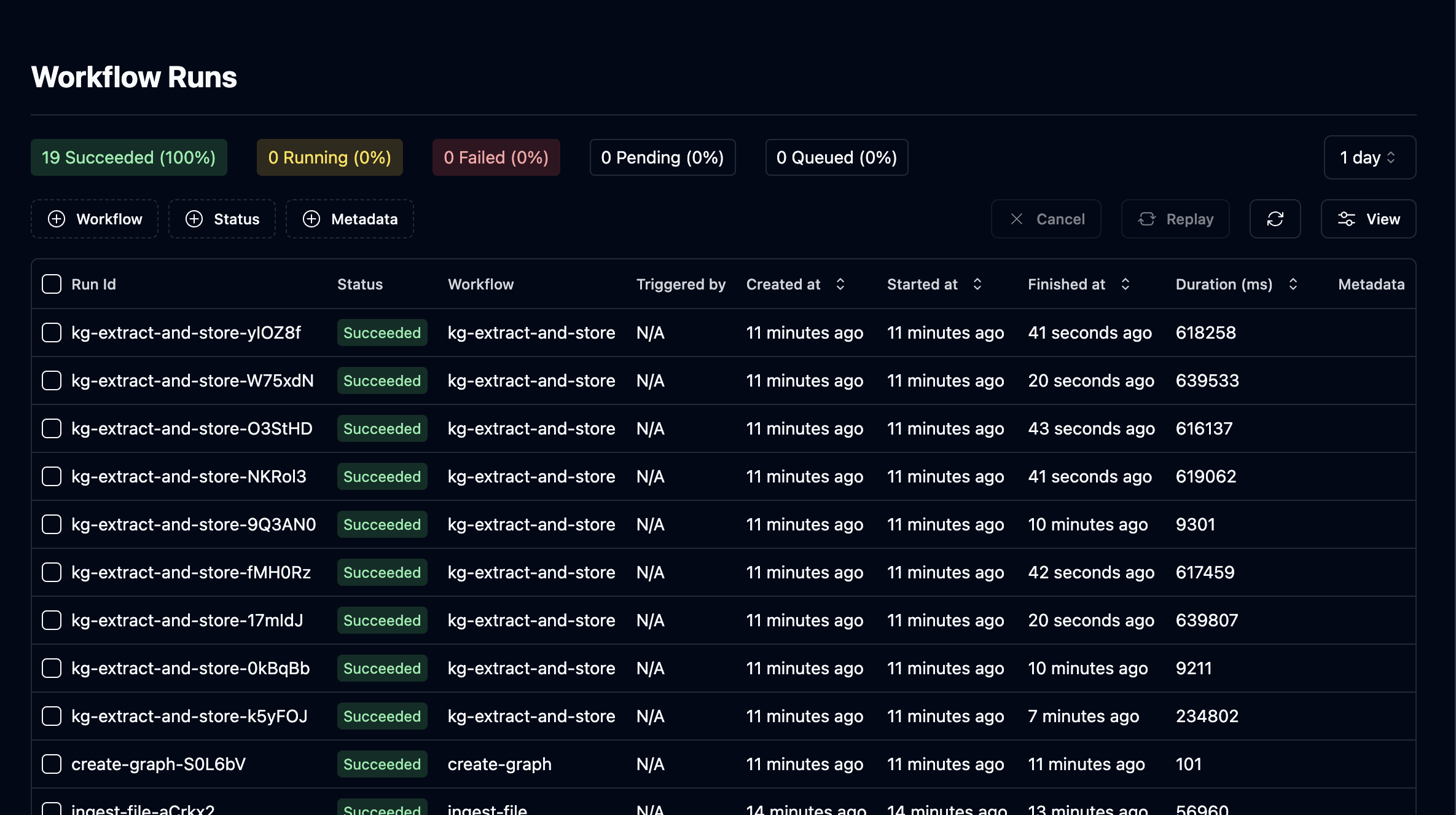
Hatchet supports long running tasks, which is very useful during knowledge graph construction:
### Long running tasks
Hatchet supports long running tasks, which is very useful during knowledge graph construction:
 ## Coming Soon
In the coming day(s) / week(s) we will further highlight the available feature set and best practices for orchestrating your ingestion workflows inside R2R.
## Coming Soon
In the coming day(s) / week(s) we will further highlight the available feature set and best practices for orchestrating your ingestion workflows inside R2R.